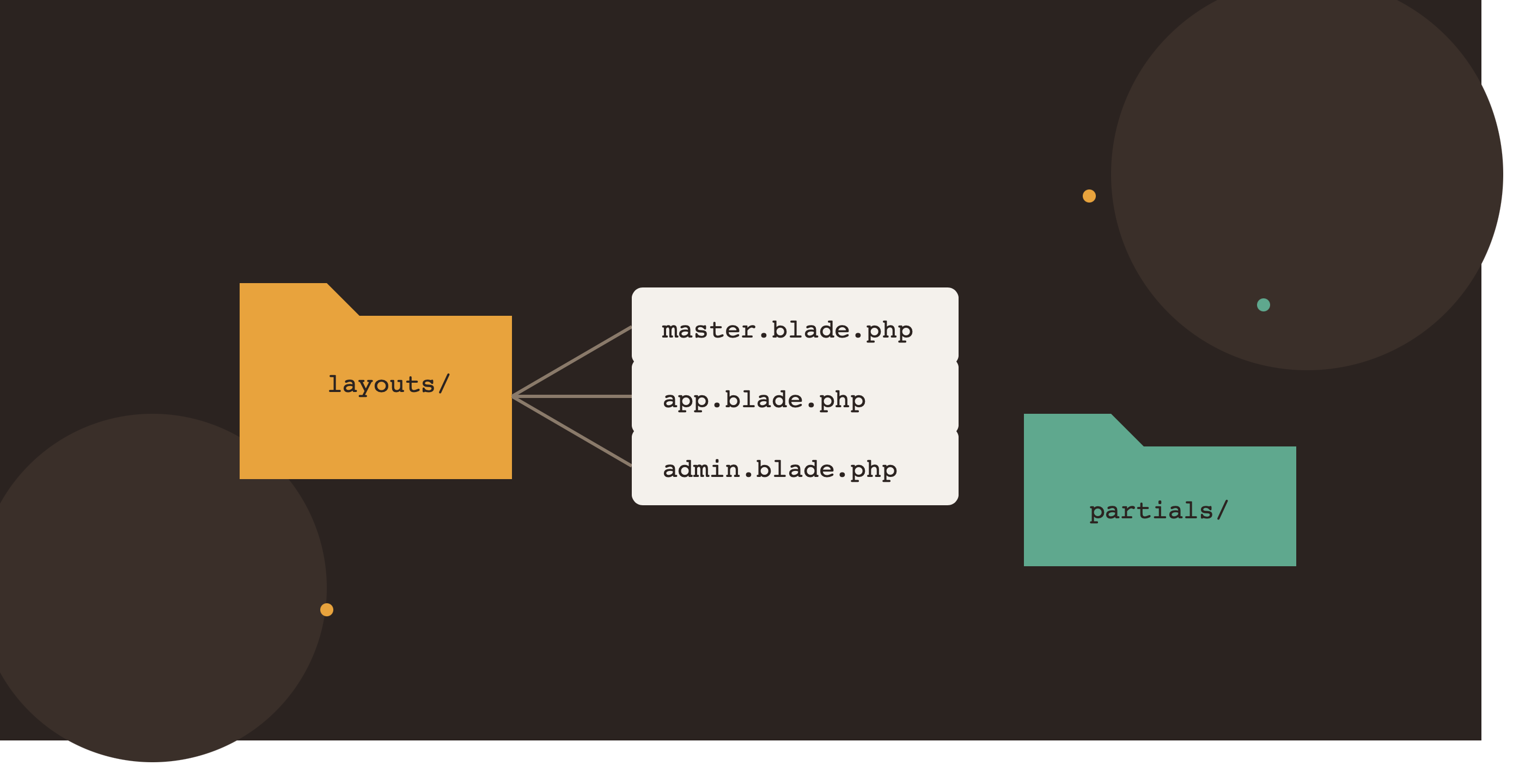
Laravel doesn't force much structure beyond the basics, which means two developers can build wildly different-looking projects that both "work." The problem shows up later — when a new team member joins, or you return to your own project after six months and can't find anything. This guide lays out a folder and file structure that scales, keeps Blade views organized, and separates concerns the way Laravel is designed to be used.
Why Structure Matters More Than It Seems
A messy project isn't just ugly — it costs real time:
- Duplicate blade markup because there was no shared layout to extend
- Business logic buried inside controllers instead of models or dedicated classes
- No clear place to put a helper function, so it ends up pasted in three different files
- Asset files scattered without a build pipeline, causing manual cache-busting headaches
None of this requires a package or a framework change — just consistent conventions.
Blade Layout Structure
Split your layouts by purpose instead of having one giant app.blade.php with conditionals everywhere.
resources/views/
├── layouts/
│   ├── app.blade.php        (public-facing site layout)
│   ├── admin.blade.php      (admin panel layout)
│   └── master.blade.php     (shared base both extend from)
├── partials/
│   ├── _header.blade.php
│   ├── _footer.blade.php
│   ├── _navbar.blade.php
│   ├── _sidebar.blade.php
│   └── _flash-messages.blade.php
├── components/
│   ├── button.blade.php
│   └── card.blade.php
├── admin/
│   ├── dashboard.blade.php
│   └── users/
│       ├── index.blade.php
│       └── edit.blade.php
└── blog/
    ├── index.blade.php
    └── show.blade.php
layouts/master.blade.php — the true base, holds only what's common to every page (doctype, head, meta tags, scripts):
<!DOCTYPE html>
<html lang="{{ str_replace('_', '-', app()->getLocale()) }}">
<head>
    <meta charset="utf-8">
    <meta name="viewport" content="width=device-width, initial-scale=1">
    <title>@yield('title', config('app.name'))</title>
    <meta name="description" content="@yield('meta_description', '')">
    @vite(['resources/css/app.css', 'resources/js/app.js'])
    @stack('styles')
</head>
<body>
    @yield('content')
    @stack('scripts')
</body>
</html>
layouts/app.blade.php — extends master, adds the public site chrome:
@extends('layouts.master')

@section('content')
    @include('partials._navbar')
    @include('partials._flash-messages')

    <main>
        @yield('body')
    </main>

    @include('partials._footer')
@endsection
layouts/admin.blade.php — extends master, adds admin chrome instead:
@extends('layouts.master')

@section('content')
    <div class="admin-wrapper">
        @include('partials._sidebar')

        <div class="admin-main">
            @include('partials._header')
            @include('partials._flash-messages')

            <div class="admin-content">
                @yield('body')
            </div>
        </div>
    </div>
@endsection
A page then only extends the layout it needs:
{{-- resources/views/blog/show.blade.php --}}
@extends('layouts.app')

@section('title', $post->meta_title ?? $post->title)
@section('meta_description', $post->meta_description ?? $post->excerpt)

@section('body')
    <article>
        <h1>{{ $post->title }}</h1>
        {!! $post->body !!}
    </article>
@endsection
Partials: Keep Them Focused
Each partial should do exactly one job. _flash-messages.blade.php is a good example of a small, reusable partial that both layouts include:
{{-- resources/views/partials/_flash-messages.blade.php --}}
@if (session('success'))
    <div class="alert alert-success">{{ session('success') }}</div>
@endif

@if (session('error'))
    <div class="alert alert-error">{{ session('error') }}</div>
@endif

@if ($errors->any())
    <div class="alert alert-error">
        <ul>
            @foreach ($errors->all() as $error)
                <li>{{ $error }}</li>
            @endforeach
        </ul>
    </div>
@endif
Naming convention worth adopting: prefix true partials (not meant to be used standalone) with an underscore — _header.blade.php, _sidebar.blade.php — so it's visually obvious in the file list which files are fragments versus full pages.
Blade Components vs Partials
Use @include for simple, static-ish fragments (header, footer, flash messages). Use Blade components when the fragment needs props or reusable logic:
{{-- resources/views/components/button.blade.php --}}
@props(['type' => 'primary', 'href' => null])

@if ($href)
    <a href="{{ $href }}" {{ $attributes->merge(['class' => "btn btn-$type"]) }}>
        {{ $slot }}
    </a>
@else
    <button {{ $attributes->merge(['class' => "btn btn-$type"]) }}>
        {{ $slot }}
    </button>
@endif
Usage anywhere in the project:
<x-button type="primary" href="{{ route('contact') }}">Get a Quote</x-button>Vite Asset Structure
Keep source assets separated by concern rather than dumping everything into one app.js:
resources/
├── css/
│   ├── app.css              (imports below, entry point)
│   ├── admin.css            (admin-only styles, separate entry)
│   └── partials/
│       ├── _variables.css
│       └── _buttons.css
├── js/
│   ├── app.js                (public site entry point)
│   ├── admin.js               (admin panel entry point)
│   └── modules/
│       ├── flash-messages.js
│       └── mobile-nav.js
└── views/
vite.config.js with multiple entry points for public vs admin bundles, so admin JS/CSS never loads on public pages:
import { defineConfig } from 'vite';
import laravel from 'laravel-vite-plugin';

export default defineConfig({
    plugins: [
        laravel({
            input: [
                'resources/css/app.css',
                'resources/js/app.js',
                'resources/css/admin.css',
                'resources/js/admin.js',
            ],
            refresh: true,
        }),
    ],
});
Then in each layout, load only what that layout needs:
{{-- layouts/app.blade.php head --}}
@vite(['resources/css/app.css', 'resources/js/app.js'])

{{-- layouts/admin.blade.php head --}}
@vite(['resources/css/admin.css', 'resources/js/admin.js'])
Models: Keep Them Lean but Complete
A model should hold relationships, scopes, accessors/mutators, and casts — not raw query logic scattered from controllers.
app/Models/
├── Post.php
├── Tag.php
└── User.php
// app/Models/Post.php
class Post extends Model
{
protected $fillable = ['title', 'slug', 'excerpt', 'body', 'status', 'published_at'];
protected $casts = [
'published_at' => 'datetime',
];
public function author()
{
return $this->belongsTo(User::class, 'author_id');
}
public function tags()
{
return $this->belongsToMany(Tag::class);
}
public function scopePublished($query)
{
return $query->where('status', 'published')
->where('published_at', '<=', now());
}
}Helpers: One Place, Not Three
Create a dedicated app/Helpers folder and autoload it via Composer instead of scattering global functions across random files.
app/Helpers/
└── helpers.php
// app/Helpers/helpers.php
if (! function_exists('reading_time')) {
function reading_time(string $text): int
{
$words = str_word_count(strip_tags($text));
return max(1, (int) ceil($words / 200));
}
}Register it in composer.json:
"autoload": {
    "files": [
        "app/Helpers/helpers.php"
    ]
}
Then run composer dump-autoload once after adding it.
Form Requests: Validation Out of Controllers
Instead of validating inline inside a controller method, use dedicated Form Request classes:
app/Http/Requests/
├── StorePostRequest.php
└── UpdatePostRequest.php
// app/Http/Requests/StorePostRequest.php
class StorePostRequest extends FormRequest
{
public function authorize()
{
return true;
}
public function rules()
{
return [
'title' => 'required|string|max:255',
'excerpt' => 'nullable|string|max:500',
'body' => 'required|string',
'status' => 'required|in:draft,published',
];
}
}The controller stays thin:
public function store(StorePostRequest $request)
{
    Post::create($request->validated());
    return redirect()->route('admin.blog.index')->with('success', 'Post created.');
}
Full Recommended Directory Overview
app/
├── Helpers/
│   └── helpers.php
├── Http/
│   ├── Controllers/
│   │   ├── BlogController.php
│   │   └── Admin/
│   │       └── PostController.php
│   └── Requests/
│       ├── StorePostRequest.php
│       └── UpdatePostRequest.php
├── Models/
│   ├── Post.php
│   ├── Tag.php
│   └── User.php
resources/
├── css/
├── js/
└── views/
    ├── layouts/
    │   ├── master.blade.php
    │   ├── app.blade.php
    │   └── admin.blade.php
    ├── partials/
    │   ├── _header.blade.php
    │   ├── _footer.blade.php
    │   ├── _navbar.blade.php
    │   ├── _sidebar.blade.php
    │   └── _flash-messages.blade.php
    ├── components/
    ├── admin/
    └── blog/
routes/
├── web.php
└── admin.php
Quick Checklist
- ✓ Base layout (
master.blade.php) holds only truly shared markup - ✓ Separate layouts for public site vs admin panel, both extending the base
- ✓ Partials prefixed with
_and each doing one job - ✓ Blade components used for anything needing props, not just static includes
- ✓ Vite entry points split by area (public vs admin) so bundles stay small
- ✓ Models hold relationships, scopes, and casts — not raw queries from controllers
- ✓ Helpers centralized in one autoloaded file, not duplicated across the codebase
- ✓ Validation lives in Form Request classes, not inline in controllers
None of this is Laravel-enforced — it's convention. But once a project follows it consistently, any developer (including future-you) can open the folder tree and know exactly where something lives before even opening a file.